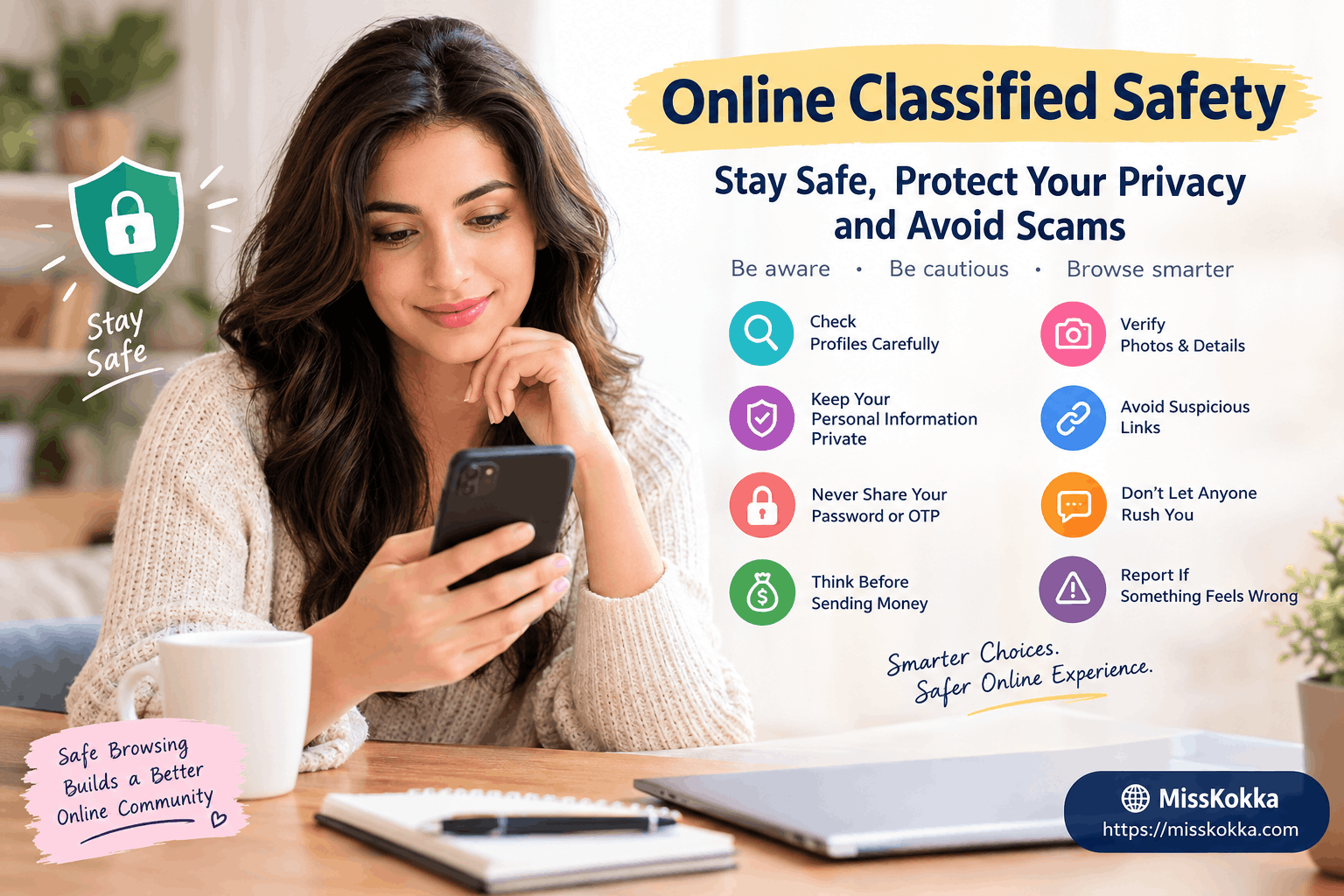
The internet has made it easier than ever to discover people, services, communities, and classified listings from almost anywhere. At the same time, online platforms can attract fake profiles, misleading advertisements, phishing attempts, payment scams, and privacy risks.
Whether you are browsing MissKokka or exploring information through the MissKokka Blogs, taking a few minutes to understand online safety can make your experience considerably safer.
The most important rule is simple: never assume that an online profile or advertisement is genuine just because it looks professional.
Why Online Safety Matters
Online classified platforms contain information from many different users and sources. Some profiles may be genuine, while others can contain outdated information, misleading photographs, copied descriptions, or suspicious claims.
The risk becomes greater when someone asks for personal information, money, identification documents, passwords, or unusual payments.
Good online safety does not mean avoiding the internet. It means knowing what information to trust, what information to protect, and when to stop a conversation.
10 Online Classified Safety Rules Everyone Should Know
1. Check the Profile Carefully
Before interacting with an unfamiliar profile, spend some time reviewing the information provided.
Look for consistency between photographs, descriptions, location information, and other publicly available details.
A profile containing detailed information is not automatically genuine, but inconsistencies can be an important warning sign.
2. Be Careful With Photographs
Online photographs can be copied or reused.
If the same photograph appears on multiple unrelated profiles, particularly with different names or locations, treat that as a reason for additional caution.
You can use publicly available reverse-image-search tools to check whether an image appears elsewhere.
However, finding or not finding an image elsewhere does not prove someone's identity.
3. Never Share Your Password or OTP
Passwords and one-time passwords should remain private.
No legitimate person should need access to your account password or an OTP sent to your phone for a normal online conversation.
If someone asks for these details, stop and reconsider the interaction.
4. Think Carefully Before Sending Money
Financial requests deserve particular attention.
Be cautious about requests involving:
-
Advance payments
-
Emergency payments
-
Gift cards
-
Cryptocurrency
-
Bank transfers
-
Account verification fees
-
Refund or recovery fees
-
Payments to unlock supposed services
A professional-looking profile does not make a financial request safe.
5. Don't Let Anyone Rush You
Pressure is a common feature of online scams.
A person may claim that you must pay immediately, provide information immediately, or make a decision before a supposed opportunity disappears.
Take your time.
If someone refuses to let you think, verify, or ask reasonable questions, that behavior itself can be a warning sign.
How to Recognize a Fake Profile
Fake profiles are not always easy to identify.
Some may have several photographs, detailed descriptions, social-media accounts, and convincing conversations.
Instead of looking for one "magic" sign, consider the complete picture.
Common warning signs include:
-
Information changes during conversations
-
The location does not match earlier statements
-
Photographs appear elsewhere under different names
-
The account immediately asks for money
-
The person requests sensitive information
-
They send suspicious links
-
They create unnecessary urgency
-
They refuse reasonable verification
-
They insist on moving communication away from the platform
-
Their story repeatedly changes
One warning sign does not automatically prove fraud. Several warning signs appearing together deserve much more attention.
Protect Your Personal Privacy
Privacy is one of the most important parts of online safety.
Avoid publishing information that could reveal too much about your private life.
Think carefully before sharing:
-
Home address
-
Personal telephone number
-
Financial information
-
Identification documents
-
Workplace details
-
Passwords
-
OTPs
-
Private photographs
-
Exact daily routines
The less sensitive information available publicly, the harder it becomes for someone to misuse it.
Use Separate Online and Personal Information Where Appropriate
For public online platforms, many people choose to limit how much personal information they expose.
For example, avoid connecting every personal social-media account to a public profile unless there is a good reason to do so.
Review your privacy settings regularly and remove information that you no longer need to make publicly visible.
Be Careful With External Links
An unfamiliar profile may send you a link claiming to provide additional information, verification, payment processing, or another online service.
Do not click suspicious links simply because someone tells you that you must.
Before opening an unfamiliar website, consider:
-
Do you recognize the domain?
-
Were you expecting the link?
-
Is the message trying to create urgency?
-
Is the website asking for a password?
-
Is it requesting financial information?
-
Does the page look different from the service it claims to represent?
When something looks suspicious, close the page rather than entering your information.
Why Moving Conversations Off-Platform Can Create Risk
Some people naturally prefer different communication methods. However, moving immediately away from a platform can remove useful safety features such as reporting tools, account history, and moderation.
If an unfamiliar person insists that you immediately move elsewhere and then requests money or sensitive information, proceed carefully.
Keeping communication on the original platform while you evaluate the situation can provide an additional layer of protection.
What Should You Do If Something Feels Wrong?
Your instincts can be useful, but they should be combined with practical checks.
If a conversation starts feeling suspicious:
Pause. Don't make an immediate decision.
Stop sharing information. Do not provide additional personal or financial details.
Do not send money. Especially when the recipient cannot be independently verified.
Save relevant information. Keep messages and transaction details if you may need to report the situation.
Block the account. Use the platform's blocking function when appropriate.
Report suspicious behavior. Use the platform's official reporting process.
What If You Have Already Been Scammed?
If you believe you have lost money through an online scam, act as quickly as possible.
Contact your bank, card provider, payment service, or other relevant financial institution and explain what happened.
Keep copies of:
-
Payment confirmations
-
Transaction IDs
-
Messages
-
Profile information
-
Emails
-
Screenshots
-
Relevant website addresses
Do not pay another person who promises to recover your money for an upfront fee. Recovery scams can target people who have already been victimized.
If you believe an online account has been compromised, change the password and enable additional security protections.
Don't Judge a Profile Only by Its Appearance
A common mistake is assuming that an account is genuine because it has professional photographs or a polished description.
Likewise, a profile should not automatically be considered fake because it is new or has limited information.
The better approach is to consider several factors together:
Profile consistency + communication behavior + financial requests + privacy requests + verification = a better safety assessment.
No single factor provides absolute certainty.
A Simple Verification Checklist
Before trusting an unfamiliar online profile, ask yourself these questions:
Profile
Is the information consistent?
Photographs
Do the images appear original and appropriate for the profile?
Communication
Does the person communicate naturally and consistently?
Money
Have they unexpectedly requested payment?
Privacy
Are they asking for sensitive personal information?
Pressure
Are they trying to make you decide immediately?
Links
Are they sending unexpected websites or files?
Platform
Can you use the platform's reporting and blocking features?
If several answers concern you, stop and reassess the situation.
Online Safety Is a Shared Responsibility
Platforms can provide reporting systems, moderation, privacy controls, and other safety features, but users also play an important role.
Responsible users should:
-
Provide accurate information when creating profiles
-
Respect other people's privacy
-
Avoid impersonation
-
Report suspicious activity
-
Never share another person's private information
-
Avoid deceptive behavior
-
Follow the platform's rules
A safer online environment depends on both responsible platforms and responsible users.
Frequently Asked Questions
How can I identify a fake online profile?
Look for inconsistent information, suspicious photographs, unusual requests for money, pressure tactics, requests for sensitive information, and suspicious links. Multiple warning signs together are more meaningful than one isolated issue.
Can real photographs be used on fake profiles?
Yes. Someone can copy photographs from another public account and use them on a different profile. A photograph alone does not establish identity.
Should I send money to someone I have only met online?
Be extremely cautious. Before making any payment, independently verify who you are dealing with and why the payment is required.
Should I share my OTP with someone?
No. Keep one-time passwords private. Do not share them with another person.
What personal information should I avoid sharing?
Avoid sharing passwords, OTPs, banking information, identification documents, home addresses, and other sensitive information with unfamiliar online contacts.
Are new profiles automatically fake?
No. A new account may be completely genuine. Evaluate the overall information and behavior rather than judging an account only by its age.
What should I do if someone pressures me for payment?
Stop and verify the situation independently. Do not allow urgency or emotional pressure to force a financial decision.
Can reverse image search verify someone's identity?
No. It can provide useful clues about photographs, but it cannot independently confirm identity.
Should suspicious profiles be reported?
Yes. If a profile appears fraudulent, deceptive, or unsafe, use the platform's official reporting mechanism rather than attempting to investigate or confront the person yourself.
How can I improve my online privacy?
Use strong unique passwords, enable two-factor authentication, review privacy settings, limit publicly available personal information, and be selective about what you share with unfamiliar people.
Final Thoughts
Online classified websites can be useful resources, but smart browsing requires awareness.
Don't rush because someone creates urgency. Don't send money simply because a profile looks convincing. Don't share passwords or OTPs. Don't provide sensitive personal information to strangers.
Most importantly, remember that trust should be earned through consistent information and responsible behavior—not through photographs, promises, or pressure.
For more online safety and platform-related information, visitors can explore MissKokka Blogs and continue learning about responsible online interaction and privacy.
A few minutes of careful verification can prevent much bigger problems later.


.png)